Any form you can open
If Chrome can show the fields, FormFill can read them. You do not maintain a template for each vendor portal.
Chrome extension + MCP
FormFill AI connects the Chrome tab you already have open to Cursor, Claude, or Codex. An LLM drafts the answers. You review anything risky. The extension fills the rest.
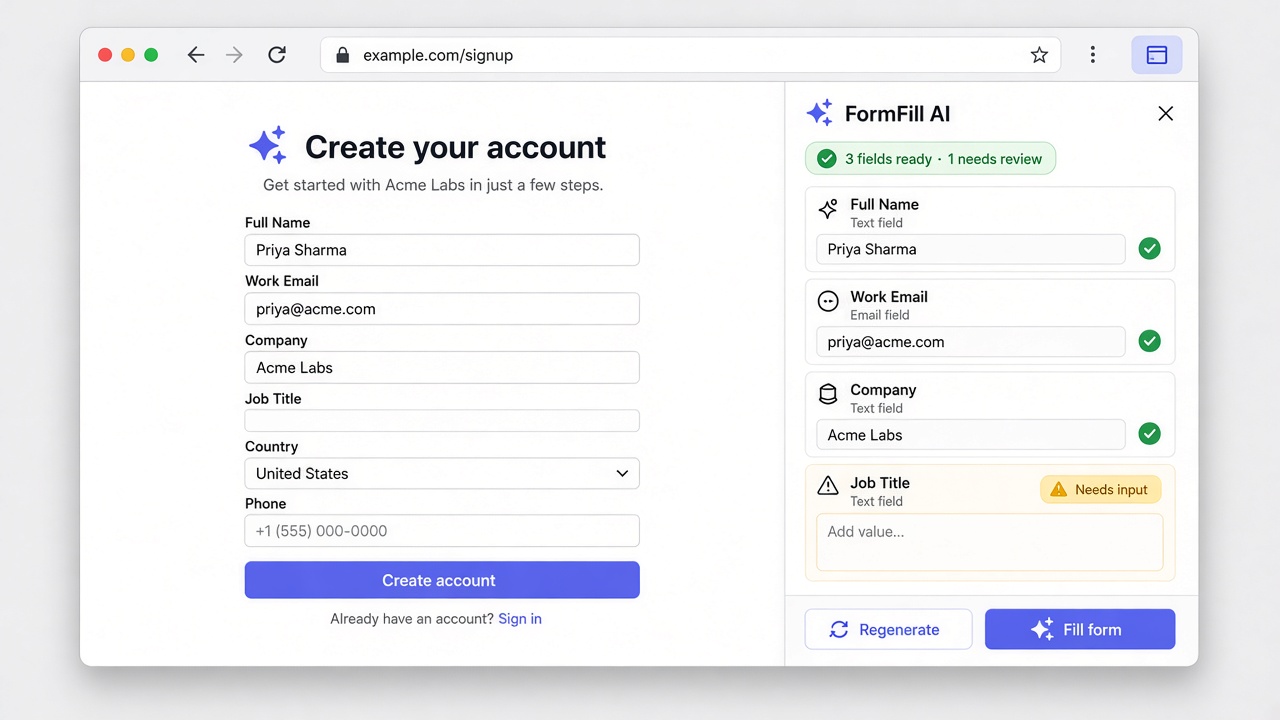
A short tab code is the handoff from the browser to your assistant.
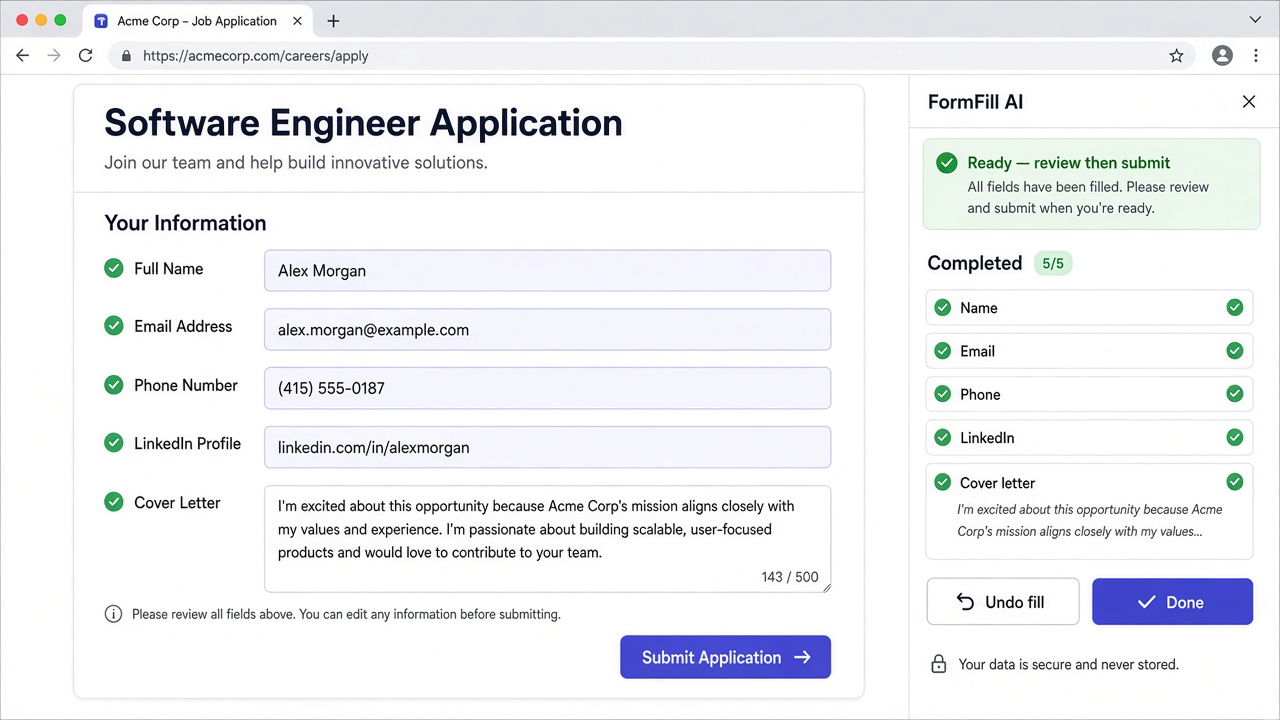
Edit any value, then fill. Low-confidence fields stay paused.
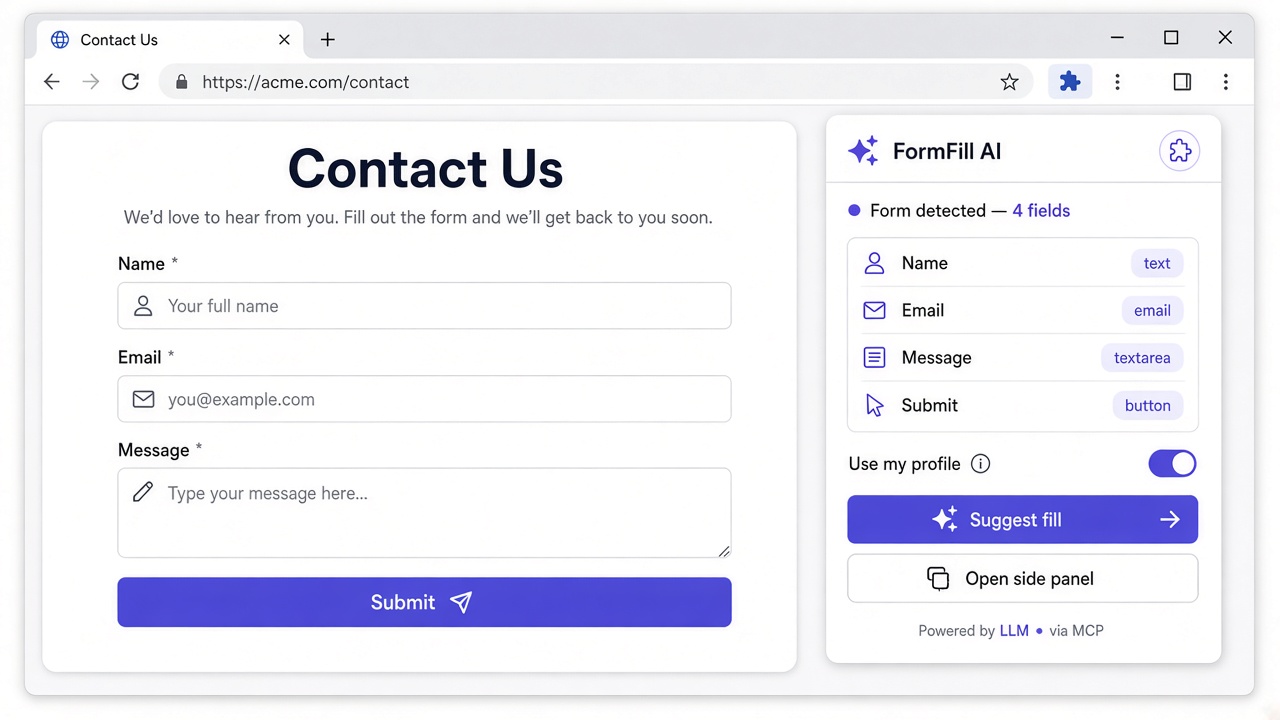
Micro-interactions land the values. Undo is one click if a field was wrong.
One workflow
The extension sees the live form. Your assistant drafts the answers. FormFill pauses when a person should decide. Same path on every site.
If Chrome can show the fields, FormFill can read them. You do not maintain a template for each vendor portal.
Cursor, Claude, and Codex call the same tab code. You stay in the chat where the source copy already lives.
Low confidence, missing required fields, and captchas stop the fill. Everything else can proceed, with undo if a value landed wrong.
Review the risky fields. Fill the rest.
Open the form, read the tab code to Cursor, and check only the answers the model should not guess. Listing copy can come from the repo. Secrets stay out of the fill.
From your assistant
Tell Cursor, Claude, or Codex to fill a tab. The MCP tools see that tab only. The extension confirms the URL before a single field changes.
The agent calls a small tool surface: read the live fields, propose values, and hand them back. It does not get a blank check to drive every tab you have open.
The popup shows a short code such as 4F2K. You say the code in chat. That names one tab, even when you have a dozen forms open.
Before fill, FormFill shows the host it is about to touch. If the tab moved to a different site, the job pauses instead of typing into the wrong page.
Any site
Detect the fields that are on screen, map them to the draft you already wrote, then fill with events the page actually listens for.
The extension reads labels, input types, required flags, and length limits from the live DOM. A screenshot is not the source of truth.
The LLM lines your source text up with those fields and marks confidence. A tagline that is too long stays low confidence even if the sentence is good.
Values land one field at a time, with the input and change events the site expects. You watch it happen. You can stop it.
In the browser
The fill should look like a person who is paying attention, not a script that dumps a JSON blob into the first input it finds.
Fields fill in order, scrolled into view, so you can see the page accept each value. If a widget ignores the event, you notice before submit.
After a fill, a toast reports how many fields changed and offers Undo. Reverting a bad mapping is one click, not a manual walk back through the form.
The review panel lists every proposed value. Edit one, leave a low-confidence field paused, then press Fill form. Nothing submits the page for you.
Your model, or ours
The review step is the same either way. Pick BYOK when you already pay OpenAI or Anthropic. Pick Pro when you want FormFill to route the model for you.
Bring an OpenAI or Anthropic key. You pay the model provider directly. The key stays in your settings, not in the page and not in the filled form.
A Lemon Squeezy subscription turns on hosted model routing. No key to rotate. The same side panel still asks you to confirm the fields that matter.
Stack
Assistants draft. Chrome holds the form. Lemon Squeezy and Gumroad handle the money. FormFill is the bridge.
Who it is for
It is for anyone who writes the answer in an AI assistant and then has to type it into someone else's form.
Keep the draft in Cursor. Point the agent at a tab code. Stay out of the clipboard while you finish a listing, a console form, or an internal tool.
Reuse approved copy across partner listings, event forms, and campaign questionnaires without retyping the tagline six times.
Client portals ask for the same brand facts every week. Keep the voice in the prompt, let the client approve pauses, and do not submit on their behalf by accident.
Marketplace submissions and company onboarding forms are full of fields you have already written. Fill the public ones. Pause on anything that needs a document or a signature.
Pricing
Every plan uses the same Chrome extension, the same tab code, and the same pause rules. You are choosing who pays the model and how the license is delivered.
$0 your model bill
For people who already have an OpenAI or Anthropic key and want the extension today.
$19 per month
Hosted model routing when you do not want to manage a key.
$49 per month
Shared seats for agencies and small teams filling client forms all week.
Pro and Business subscribe through Lemon Squeezy. One-time fill packs are sold on Gumroad. Webhooks write the license into your workspace. Buy a fill pack on Gumroad
Prices are monthly. Cancel a Lemon Squeezy subscription from their customer portal. Gumroad packs are one-time purchases and do not renew.
An AI form filler reads the fields on a web form you already have open and drafts answers with a large language model. FormFill AI does that with a Chrome extension and an MCP connection to assistants such as Cursor, Claude, and Codex. You review low-confidence or sensitive fields before anything is submitted.
Open the form in Chrome. The extension shows a short tab code. In Cursor, ask the agent to fill that tab. The agent fetches the live fields, maps values, and hands them back to the extension. The extension confirms the page URL, then fills fields with small, visible interactions.
Yes. Listing copy, pricing notes, and policy URLs are a good fit when the source text already lives in your repo or chat. FormFill pauses on captchas, credentials, and any required field it cannot ground in the text you provided. You still submit the form yourself.
BYOK means you bring an OpenAI or Anthropic API key and pay that provider directly. Pro is a Lemon Squeezy subscription that uses FormFill hosted model routing, so you do not manage a key. Both modes use the same review-then-fill flow.
Checkout happens on Lemon Squeezy for subscriptions or Gumroad for one-time packs. Their webhooks write a license through FormFill's database layer. The dashboard reads that row. Cancel and refund events update the status.
Add the extension, copy the tab code, and tell your assistant to fill it. Review what it flags. Submit when you agree.